
What Does Content Migration Mean? The 2026 Guide
Content migration transfers digital content between systems. Learn which methods exist, what risks threaten, and how to avoid traffic losses.

Richard Roth
SEO & GEO Strategist
July 4, 2026
10 min read

Content migration refers to the structured process of transferring digital content from one system to another. This happens during CMS changes, website relaunches, or e-commerce platform modernization. The technical term “content migration” has become the standard designation in both English and German-speaking markets.
What does content migration mean specifically? It involves far more than simply copying files. Text, images, metadata, URLs, and structures must be transferred completely, error-free, and SEO-safe. Content migration is not purely a technical project, but requires close integration of technology, content management, and SEO to avoid traffic losses.
- • Definition Structured transfer of digital content between systems while preserving structure, functionality, and SEO strength.
- • Methods Big Bang for small projects, Permanent Migration for large and dynamic content with real-time synchronization.
- • Biggest Risk 50% of migrations lose traffic, recovery takes an average of 523 days due to faulty redirects.
- • Critical Phase Post-launch monitoring for at least 30 days is mandatory to identify crawl errors and indexing problems.
- • Budget Planning 64% of projects exceed budget, mostly due to underestimated content cleanup and testing phases.
- • Success Factor Simultaneous planning of technology, content structure, and SEO from the start, not sequentially.
What Does Content Migration Mean and When Is It Necessary?
Content migration is the planned transfer of digital content between platforms, systems, or environments. Typical triggers include a CMS change, a platform switch in e-commerce, a complete website relaunch, or the consolidation of multiple websites. Updating outdated infrastructure also falls into this category.
The difference from a simple backup lies in the goal: during migration, content should not only be secured but fully functional in a new environment. This includes formatting, links, metadata, and technical structure.
For online stores, content transfer is particularly critical. Product descriptions, category pages, blog posts, and customer reviews must be transferred without data loss. Errors here directly impact visibility and revenue. The goals of content migration therefore always include preserving the SEO strength of the existing website.

The line I keep coming back to is that migration is not a backup. A backup just has to restore the same state; a migration has to make content fully functional in a system that stores things differently. That gap is where formatting breaks, links dangle and metadata quietly drops, so I treat every field mapping as its own small task rather than assuming a copy will just work.
What Methods of Content Migration Exist?
Two main methods have proven themselves in practice: Big Bang Migration and Permanent Migration. Both approaches differ fundamentally in effort, risk, and application.

Big Bang Migration: Transfers all content in a single step. The system is completely switched over at a predetermined time. This approach is suitable for smaller data volumes or projects with clearly defined content where brief downtime is acceptable.
Permanent Migration: Synchronizes content in real time between old and new systems. The new system runs in parallel until it is fully ready. This approach is more complex but significantly safer for large or dynamic data volumes like product catalogs with thousands of entries.
| Feature | Big Bang Migration | Permanent Migration |
|---|---|---|
| Transfer Type | One-time transfer | Real-time synchronization |
| Suitable For | Small, static data volumes | Large, dynamic content |
| Downtime | Brief interruption possible | Minimal downtime |
| Complexity | Lower | Higher |
| Risk on Errors | High, no fallback | Lower through parallel operation |
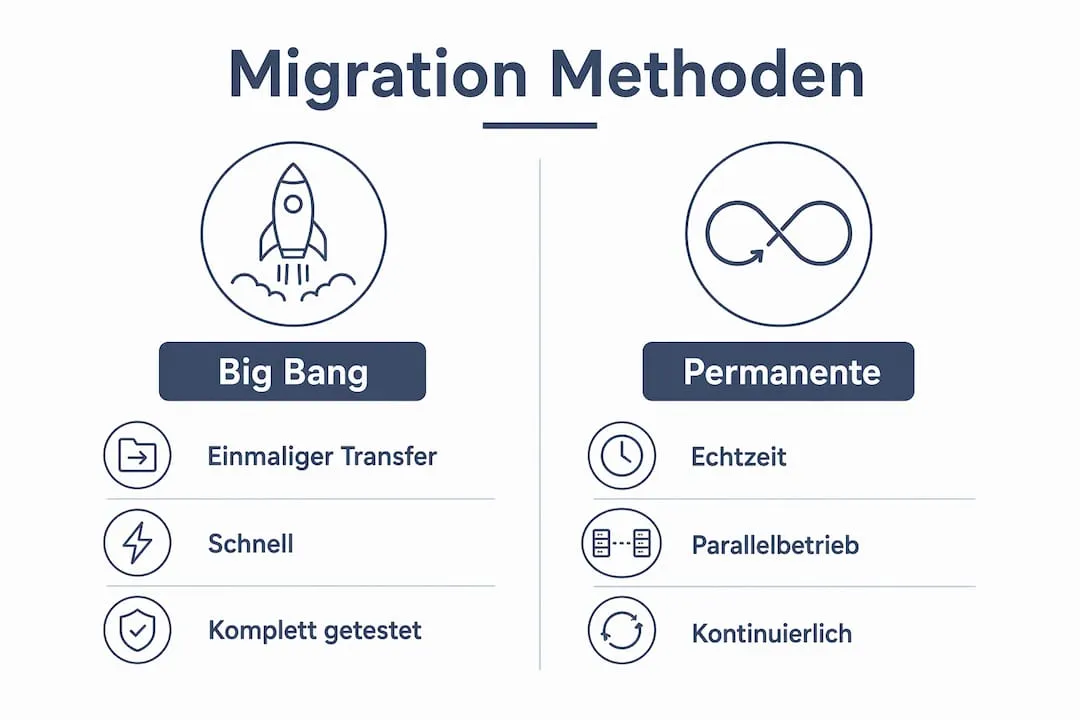
Choose the Big Bang method only if you can fully test all content in advance. For more than 500 product pages or actively maintained blogs, Permanent Migration is almost always the safer choice.
What Challenges and Risks Does Content Migration Present?
Content migration fails more often than expected. Only about 10% of website migrations improve search engine rankings, while 50% struggle with traffic losses that require an average of 523 days to recover. This shows how consequential errors in this process can be.
The most common risks at a glance:
Missing or Incorrect Redirects: Without complete 301 redirect mapping, existing URLs lose their authority. Google treats them as new pages, meaning the link power built up over years is lost and rankings plummet. Every old URL needs an exact target address, otherwise users land on a 404 page and Google considers the page no longer existent.
Data Loss with Dynamic Content: Blogs, product lists, and job listings require precisely mapped fields in the target CMS. Missing mapping leads to incomplete transfer. This means specifically that product attributes, category assignments, or metadata simply disappear because the new system uses different field names or structures. Without clean mapping, gaps remain that only show up weeks after launch.
Budget Overruns: 64% of migration projects exceed their budget, mostly due to underestimated effort in content cleanup. This is not an isolated case but industry reality. Teams plan too little time for sorting out outdated content, cleaning up duplicates, and testing transferred data.
Underestimated Testing Phases: Those who cut short validation and quality checks pay double after launch. Broken images, broken internal links, and missing metadata become apparent when users and Google are already on the new site. Correction under time pressure is more expensive and riskier than a thorough testing phase before go-live.
Create a complete URL list of the old system before starting and check every single redirect manually or with a crawling tool like Screaming Frog. This step takes time but prevents the majority of all SEO losses.
What Steps Does a Successful Content Migration Process Include?
The planning phase with clearly defined goals and a content audit is the most important element for migration success. Those who save here pay later. The content migration process can be divided into five phases.
1. Strategy Phase
Define goals, determine scope, clarify responsibilities. A content audit lists all existing content and evaluates which should be transferred, revised, or deleted. Content without traffic or added value should not simply be carried over.
2. Content Mapping
Every old URL is mapped to a new URL. Categories, tags, and metadata are mapped to the fields of the target system. Without this mapping, gaps emerge that only show up weeks after launch.
3. Technical Preparation
Define URL structure of the new system, fully document 301 redirects, test technical infrastructure. This step must be completed before even a single page is transferred.
4. Migration Execution
Content is transferred sequentially and validated after each batch. Automated tests check for missing images, broken links, and formatting problems. Manual spot checks supplement automated testing.
5. Post-Launch Monitoring
After go-live, the critical phase begins. Items to check:
- Crawl errors in Google Search Console
- 404 pages and faulty redirects
- Load times and Core Web Vitals
- Indexing status of important pages
- Organic traffic compared to the previous period
Immediate post-launch verification is mandatory to identify crawling problems early. A post-launch audit over at least 48 to 72 hours is considered the minimum standard.
What SEO Aspects Are Particularly Important in Content Migration?
SEO is the most critical factor in any content migration strategy. Those who migrate technically clean but neglect SEO lose rankings that took years to build.
The most important SEO measures:
Plan 301 Redirects Completely: The redirect strategy must be fully documented before development. Every old URL needs a target address. Missing redirects mean lost link authority because external backlinks lead nowhere and Google considers the page no longer existent.
Monitor Google Search Console: Monitoring in the first 48 hours to 30 days after launch is standard. Crawl errors often only appear after a few days when Google has fully crawled the new structure. Those who don’t check daily miss critical signals.
Actively Clean Up 404 Pages: Every 404 page that previously had traffic costs rankings. Tools like Google Search Console or Ahrefs reliably show these pages. Each of these pages needs either a redirect to an appropriate new page or a conscious decision to delete it.
Improve Load Times: During migration, there is an opportunity to eliminate technical ballast and noticeably improve load times. This pays off long-term in better rankings because Google considers load times as a ranking factor and users prefer faster sites.
Check Internal Linking: All internal links must point to the new URLs. Outdated internal links weaken crawl efficiency because Google unnecessarily follows redirects and link power is not passed directly.
“A carefully executed migration minimizes traffic loss and enables preservation of the website’s SEO strength.” (Seahawk Media)
What I’ve Learned After Dozens of Migration Projects
I’ve accompanied many content migration projects, and the pattern with failed projects is almost always the same. The technology wasn’t the problem. It was the planning.
Teams underestimate the content audit. They transfer everything that exists without asking whether it’s worth it. The result is a new system full of old, weak content. And then they wonder why rankings don’t improve.
What really surprised me: the post-launch phase is consistently neglected. Many projects feel like they end with go-live. But the real problems often only start afterward. Crawl errors, missing redirects, indexing problems. Those who don’t check Google Search Console daily only notice the damage weeks later.
My advice: plan twice as much time for the content audit as you think. And don’t set the budget for post-launch monitoring as an optional item. It’s the most important part of the entire process. The opportunity in a migration is real. But it only materializes when technology, content, and SEO work together from the start. Not sequentially, but simultaneously.
How we take on the SEO half of that is described on our Shopify SEO page.
 Frequently Asked Questions
 What does content migration mean exactly?
How long does a content migration take?
What risks exist with content migration?
What is the difference between Big Bang and Permanent Migration?
Do I need to take SEO measures after migration?
You might also like

How Important Are Redirects During a Migration?
Learn how redirects during migration protect your SEO value. Avoid traffic losses with effective strategies for platform changes and URL structure updates.

How Long Does a Shopify Migration Take? Timeline and Factors
How long does a Shopify migration take? Realistic timeframes by store size, what drives the schedule and how to avoid delays.

How Much Does a Shopify Migration Cost? Prices and Factors
What does a Shopify migration really cost? The price factors, realistic ballparks and an interactive calculator for your estimate.